Underwater Turtle Photos: How to Photograph Sea Turtles With Your Phone
Get sharp, colorful underwater turtle photos with just your phone: the right pouch, settings, light and angles, plus how to shoot without disturbing turtles.

Updated October 30, 2026 · 7 min read
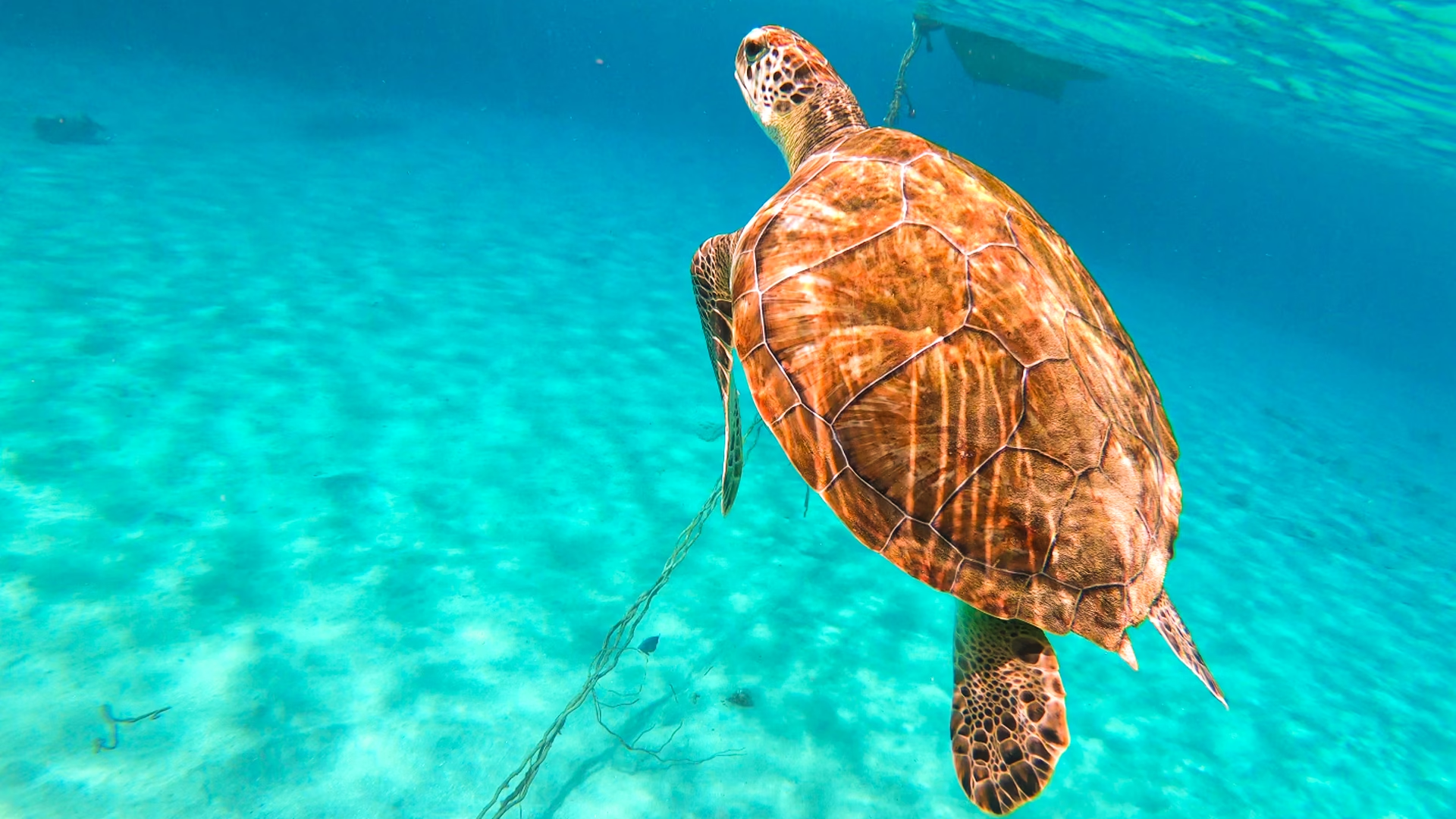
You can take great underwater turtle photos with your phone if you protect it in a proper waterproof pouch or case, shoot in shallow, sunlit water close to the surface, and let the turtle come to you instead of chasing it. Most disappointing turtle photos come from cloudy water, too much distance and digital zoom, not from the phone itself. Here is the approach we use with guests in Curaçao, from gear and settings to angles and editing.
At a glance
- Protect the phone: use a proper waterproof pouch or housing, not the phone’s water resistance alone.
- Use the buttons: touchscreens behave poorly underwater, so learn which physical button takes a photo.
- Stay shallow: the best colors are in the top few feet of water on a sunny day.
- Get close, not zoomed: keep the lens at 1x or the wide lens and let distance shrink by patience.
- Shoot bursts or video: pick the best frame later.
- Respect the turtle: no touching, chasing or blocking its way to the surface.
Step 1: protect your phone
Many modern phones have a water resistance rating, but that is not the same as being made for snorkeling. Apple, for example, lists swimming and intentionally submerging your iPhone among things to avoid, notes that water resistance is not permanent and can decrease with normal wear, and states that liquid damage is not covered under warranty (see Apple’s splash and water resistance page). Salt water and sand make things harder still.
For underwater turtle photos, use one of these:
- A waterproof pouch with a clear window and a secure seal. Inexpensive and easy to pack.
- A hard underwater housing made for your phone model. Better image quality and button access, more expensive.
Whatever you choose, test it before your trip: seal it with a folded tissue inside instead of the phone, hold it underwater for several minutes and check that the tissue stays dry. Attach a lanyard or wrist strap so the phone cannot drift or sink if you let go.
Step 2: set up the camera before you get in
Once the phone is sealed in a pouch and you are floating in the sea, changing settings is awkward. Do it on the beach:
- Open the camera app first, then seal the pouch, so you do not need the touchscreen in the water.
- Find your shutter button. On many phones a volume button takes a photo or starts video; check how yours works.
- Turn the flash off. In water, flash lights up floating particles and rarely helps a phone photo.
- Use the main or wide lens and avoid digital zoom, which magnifies haze as well as the subject.
- Consider video mode. Shooting a short clip in good resolution lets you pull still frames later and is easier to operate with one button.
- Clean the lens and the pouch window. Sunscreen smears and fingerprints soften every shot.
Step 3: find the right light and water
Water absorbs light quickly, starting with reds and oranges, so photos taken deeper look blue or green. For the most natural colors in underwater turtle photos:
- Snorkel on sunny days, when sunlight reaches the seabed and lights up the turtle’s shell.
- Stay in shallow areas where turtles feed close to the surface.
- Keep the sun roughly behind you so the turtle is lit from your side.
- Go earlier in the day, when the water is often calmer and fewer swimmers are stirring up sand.
Our guide to the best time for photos in Curaçao goes deeper into light, weather and crowds across the day.
Step 4: composition tips for underwater turtle photos
Get to the turtle’s level
A photo taken straight down on a turtle’s shell looks flat. Photos taken from the side, at the turtle’s eye level, show its face and flippers and feel far more alive. Float to the side of the turtle’s path rather than above it and wait for it to glide past.
Let the turtle come to you
Turtles in Curaçao often move along a predictable route while they feed or head up for air. Instead of swimming after one, position yourself ahead of it at a respectful distance, stay still and let it swim into the frame. You will get closer, calmer shots this way, and the turtle is not disturbed.
Capture the breath
One of the most beautiful moments is when a turtle rises to the surface to breathe. Give it a clear path, stay to one side, and shoot as it rises toward the light. Never block a turtle’s way to the surface for a photo.
Add a person, carefully
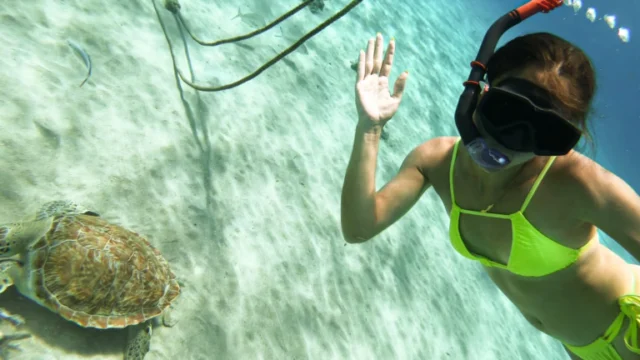
A snorkeler in the background gives a sense of scale and makes the photo personal. The person should stay still and keep their hands to themselves, with the turtle in the foreground and plenty of space between them. No touching, no reaching and no posing with a hand on the shell.
Shoot more than you think you need
Waves move you, the turtle moves and sand drifts through the frame. Burst mode or video gives you many chances to catch the one frame where everything lines up.
Step 5: quick edits that make a big difference
- Warm up the white balance to reduce the blue or green cast.
- Add a little contrast and clarity to cut through the haze.
- Crop gently to put the turtle off-center, facing into the frame.
- Do not overdo saturation; the turquoise water of Curaçao rarely needs much help.
Shoot responsibly: the turtle comes first
Sea turtles are fully protected in Curaçao, and popular turtle beaches can get busy. Conservation groups ask visitors not to touch, chase or feed turtles and to keep a safe distance. A good photo is never worth stressing an animal. Keep your movements slow, give turtles room at the surface, and stay off coral and seagrass while you shoot. Please use reef-safe sunscreen too, and apply it well before you get in so it does not smear the pouch window. For the best places to find turtles, see our guide on where to swim with sea turtles in Curaçao.
Common mistakes to avoid
- Relying on the phone’s water resistance without a pouch or housing.
- Zooming in from far away instead of waiting for the turtle to come closer.
- Shooting straight down from the surface at the top of the shell.
- Kicking up sand near the turtle, which clouds the water.
- Forgetting to rinse the pouch and phone with fresh water afterwards.
Want photos without the guesswork?
If you would rather enjoy the moment and still take home turtle memories, join our private sea turtle snorkeling and beach tour. It is private for your group, snorkel gear and life vests are included, and your guide knows where turtles tend to feed, so you can focus on positioning yourself well and shooting calmly. You can also browse all our tours and photoshoot experiences.
FAQ
Can I take my phone snorkeling without a case?
We do not recommend it. Water resistance ratings are not designed for snorkeling, resistance can decrease over time, and manufacturers such as Apple do not cover liquid damage under warranty. Use a tested waterproof pouch or housing.
How do I take a photo when the touchscreen does not work underwater?
Open the camera before sealing the pouch and use a physical button. On many phones a volume button works as the shutter. Check how your phone behaves before you get in the water.
Why do my underwater turtle photos look blue or green?
Water absorbs warm colors first. Shoot in shallow, sunlit water close to the turtle, then warm up the white balance when editing.
Is it okay to use flash on sea turtles?
Leave the flash off. It rarely improves a phone photo underwater because it lights up particles in the water, and natural light is kinder to the turtle.
How close can I get to a turtle for a photo?
Keep a respectful distance, never touch or chase it, and let the turtle decide how close it comes. Positioning yourself ahead of its path and staying still usually gets you the best shot.